Showing posts with label Essay Structure. Show all posts

OUGD601: Context of Practice 3 - Synthesis

I have written my dissertation about the practice of User Experience and User Experience Design. I focussed on Human Motivations and the psychological factors of website design. I then wrote about website navigation with links to real-life navigation and the similarities and differences between the two, I chose to focus this area on websites with large content matter such as online grocery shopping.

The practical element of my CoP3 submission is a proposed re-design of the Morrisons online grocery website. I used some of the principles within my essay such as use of Faces to entice a user and grab their attention. I also used images of food which all human beings are hard wired to recognise. I also created features such as the trolley button that users can control themselves. Within my essay I wrote about how users which they could have the control over the website and the ways in which designers can cleverly convince them that they have it. By creating the trolley feature as a drop down or fold away button it allowed me to have control of the design aesthetic and also allowed the user to control what information they wish to see. I also used images within my navigation to ensure that users understood the language used by Morrisons.

Overall, I am very happy with the final outcome and feel that I have been able to turn over a new leaf within my creative practice and I found something to aim towards within the rest of my career.


OUGD601: Context of Practice 3 - Smashing UX

Smashing UX Design


This book was incredibly helpful as it gave a step by step guide to partaking my own UX project. The key information I got from this book was about Waterfall and Agile design. 


‘In waterfall development, activities flow from one stage to the next: from requirements to design to implementation to validation. Design is done up-front, and there is an emphasis on one stage being documented and signed off before the next stage proceeds. This fits in well with UX activities happening before development starts. UX deliverables, such as wireframe decks, can form part of the specification of the product.’ (Allen, J. and Chudley, J. 2012, P6)

‘Agile is a newer development methodology that was conceived as a response to the perceived failings of Waterfall development. These failings include the fact that poorly gathered or shifting requirements can mean that development time is wasted. Development realities often require changes when there is no available UX guidance. Proponents of Agile software development argue that initial design time should be sacrificed in the interests of developing a working produce that can be tested, built on, changed as necessary.’ (Allen, J. and Chudley, J. 2012, P6)

OUGD601: Context of Practice 3 - Interactive Design (Pratt and Nunes)

Interactive Design An Introduction to the Theory and Application of User-Centered Design


Key quotes:


‘User centered design (UCD) is a design philosophy that puts the user of a product, application, or experience, at the center of the design process.’ (Pratt, A and Nunes, J. 2012, P.12)

‘In UCD a designer strives for a detailed understanding of the needs, wants and limitations of the people who will use the end product and then makes the design choices that incorporate this understanding.’ (Pratt, A and Nunes, J. 2012, P.12)

‘UCD requires that designers not only analyze and forsee how users engage with a product, but they also test their designs in the real world with actual users’ (Pratt, A and Nunes, J. 2012, P.12)

‘Testing is an essential component of UCD, because it is often very difficult for designers to intuitively understand how users will perceive, understand, and use their designs.’ (Pratt, A and Nunes, J. 2012, P.12)

‘Many other factors must be taken into account when designing an experience. These factors can include the business goals of the client, the limitations of the technology used to realize the design, the timeline for delivery of the finished product, and the budget.’ (Pratt, A and Nunes, J. 2012, P.15)

‘UCD is also used to design many other things – from architecture and silverware to cell phones and street signs.’ (Pratt, A and Nunes, J. 2012, P.14)

‘We use data and information to help us navigate the world, to be entertained, and to help us make decisions. Electronic devices feed us that data.’ (Pratt, A and Nunes, J. 2012, P.16)

‘Poor design can be frustrating, preventative, and in extreme cases, deadly.’ (Pratt, A and Nunes, J. 2012, P.16)

‘Your users are continuously redesigning your user interface in real time. Users become your co-designers because you cant imagine all the ways someone will actually use what you create.’ (Dana Chisnell in Pratt, A and Nunes, J. 2012, P.18/9)

‘People create a mental model about an object or experience in an attempt to predict how the object will behave.’ (Pratt, A and Nunes, J. 2012, P.23)

‘Design has never been a solitary pursuit. Architects work with teams of engineers, drafters, and other specialists, as well as builders and contractors to realize their designs. Print designers collaborate with content specialists, illustrators, photographers, and printers to bring their designs to life. Interactive design is no different.’ (Pratt, A and Nunes, J. 2012, P.24)

‘A UX Designer will work closely with the following: Technical architects who are charged with designing the systems and code that will realize the design, Visual designers who are tasked with incorporating the brand personality into the design, Content strategists who are responsible for the content that the application will convey to the customers, Project managers who are responsible for making sure the design project is completed on time and budget.’ (Pratt, A and Nunes, J. 2012, P.24)

‘Each member of an interactive team brings a unique perspective to a project – perspectives informed by their expertise and experience.’ (Pratt, A and Nunes, J. 2012, P.28)

‘In order to juggle the various complicated aspects of interactive design, it is essential to collaborate.’ (Pratt, A and Nunes, J. 2012, P.28)

‘You can’t design something for everyone.’ (Pratt, A and Nunes, J. 2012, P.40)

‘Metrics can tell you what users like and dislike, but they cant tell you what they dream about.’ (Scott Gurksy in Pratt, A and Nunes, J. 2012, P.44/5)

‘The most successful products and projects meet the needs and wants of real people. Those who come from different backgrounds, have different experiences and levels of expertise, and like and want different things.’ (Pratt, A and Nunes, J. 2012, P.52)

‘Personas often include a photo, a name, a quote from the persona, a list of descriptors, such as where the person works, their marital status, and their interests, a list of their goals and needs, and a paragraph or two that explains in detail who the persona is, what they want, and what their frustrations are.’ (Pratt, A and Nunes, J. 2012, P.59)

‘By understanding your users, including their needs and stories, you can design something that will be useful and valuable.’ (Pratt, A and Nunes, J. 2012, P.62)

‘Users can be motivated in multiple ways – through rewards, through a clear understanding of what an application offers them, and through delivering what they want in the fastest, best way possible.’ (Pratt, A and Nunes, J. 2012, P.123)

‘We will expect more, want more, and need more from the experiences with which we interact.’ (Pratt, A and Nunes, J. 2012, P.217)

‘Future interactive experiences will be successful only if they continue to meet our needs and wants, in simple, easy-to-learn, easy-to-use ways.’ (Pratt, A and Nunes, J. 2012, P.217)

‘In other words, if we designers continue to put real people at the center of our design process, if we work to understand who they are and what they want, then design applications will meet those needs in useful and exciting ways.’ (Pratt, A and Nunes, J. 2012, P.217)

OUGD601: Context of Practice 3 - 100 Things Designers Need to know About People - Susan Weinschenk

100 things every designer need to know about people


Key quotes:

‘It depends partially on what they’re doing and expecting. If they read in a language that moves from left to right, then they tend to look at the screen from left to right. If they read from right to left, it is the opposite.’ (Weinschenk, S. 2011, P 13)

‘Because people have gotten used to the idea that there are things on computer screens that are less relevant to the task at hand, such as logos, blank space, and navigation bars’ (Weinschenk, S. 2011, P 13)

‘People have a mental model of where things tend to be on computer screens, and a mental model for particular applications or Web sites that they use.’ (Weinschenk, S. 2011, P 14)

‘If people shop at Amazon a lot and use the search field, they’ll look right at the search field when the screen loads’ (Weinschenk, S. 2011, P 14)

__

‘The new brain is the conscious, reasoning, logical brain that you think you know best; the mid brain is the part that processes emotions, and the old brain is the part that is most interested in your survival.’ (Weinschenk, S. 2011, P 108)

‘Without food you will die, without sex the species won’t survive and if you’re killed the other two questions don’t matter.’ (Weinschenk, S. 2011, P 108/9)

‘Over eons of evolution, humans have learned that they will survive longer and better if they conserve their energy. You want to spend enough energy to have enough resources (food, water, sex, shelter), but beyond that you are wasting your energy if you spend too much time running around getting or doing more stuff… most of the time, humans work on a principle called satisficing.’ (Weinschenk, S. 2011, P 132)

‘The idea of satisficing is that the cost of making a complete analysis of all the options is not only worth it, but may be impossible… If people satisfice rather than optimize, there are implications for the design of Web sites, software, and other products.’ (Weinschenk, S. 2011, P 132)

‘You have to imagine people are taking a quick glance.’ (Weinschenk, S. 2011, P 132)

‘If you want people to take action on an object, whether in real life or on a computer screen, you need to make sure that they can easily perceive, figure out, and interpret what the object is and what they can and should do with it. (Weinschenk, S. 2011, P 15)

‘Eye-tracking is a technology that allows you to see and record what a person is looking at, in what order, and for how long. It is often used to study Web sites to see where people are looking, including where they look first, second, and so on.’ (Weinschenk, S. 2011, P 20)

‘Early eye-tracking research by Alfred Yarbus (1967) showed that what people look at depends on what questions they are asked while they are looking. It’s therefore easy to accidently skew the eye-tracking data depending on what instructions you give them before and during the eye-tracking study.’ (Weinschenk, S. 2011, P 20)

__

‘If two items are near each other (a photo and text for example), then people assume they go together. The connection is strongest for items that are together left to right.’ (Weinschenk, S. 2011, P 21)


How people remember:

‘Recognition is easier than recall. Recognition makes use of context. And context can help you remember.’ (Weinschenk, S. 2011, P 53)

How people think:

‘The brain can only process small amount(s) of information at a time’ (Weinschenk, S. 2011, P 62)

PROGRESSIVE DISCLOSURE

‘Progressive disclosure means providing only the information people need at the moment’ (Weinschenk, S. 2011, P 62)

‘By giving them a little information at a time, you avoid over whelming them, and also addresses the needs of different people – some may want a high-level overview, whereas others are looking for all the detail.’ (Weinschenk, S. 2011, P 62)

‘Progressive disclosure requires multiple clicks. You may have heard it said that Web sites should minimize the number of times people have to click to get to detailed information. The number of clicks is not important. People are very willing to click multiple times. In fact, they won’t even notice they’re clicking if they’re getting the right amount of information at each click…’ (Weinschenk, S. 2011, P 63/4)

MOTIVATION

People become more motivated the closer they get to their end goal. ‘Kivetz (Ran, 2006) found that people would go to a Web site more frequently and rate more songs during each visit as they got closer to a reward goal at the site’ (Weinschenk, S. 2011, P 116)

‘People will look for ways to do something faster and with fewer steps. This is especially true if it’s a task they’re doing over and over. (SHOPPING) But if the shortcut is too hard to find, or if habit is ingrained, then people will keep doing it the old way.’ (Weinschenk, S. 2011, P 136)

‘people actually like to be independent, to feel that they’re doing things on their own, with minimal help from others… Rather than hire an expert, people often want to do things on their own.’ (Weinschenk, S. 2011, P 42)

‘The unconscious part of the brain likes to feel that it’s in control. If you’re in control, then there is less likelihood that you’ll be in danger. The “old brain” is all about keeping you motivated by being autonomous.’ (Weinschenk, S. 2011, P 142)

‘When you go to a Web site or use an online application, you have assumptions about how the site will respond to you and what the interaction will be like. And many of these expectations mirror the expectations that you have for person-to-person interactions.’ (Weinschenk, S. 2011, P 151/2)

‘Whether it’s a retail store or a Web site, if you ask people if they’d prefer to choose from a few alternatives or have lots of choices, most people will say they want lots of choices’ (Weinschenk, S. 2011, P 206)


‘It’s only when people are confident in their decisions that they stop seeking more information.’ (Weinschenk, S. 2011, P 207)

OUGD601: Context of Practice 3 - Agile Design Hey!Stac

I watched a talk by Chris Compston who is a UX Designer at Made By Pi in Leeds. He spoke about agile design. I found his talk very insightful as it focussed on designing agile and not just working agile.


Notes:


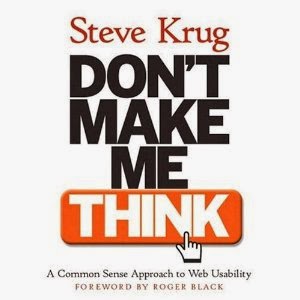
OUGD601: Context of Practice 3 - Don't Make Me Think

Don't make me think. A common sense approach to web usability


Key quotes:

‘It’s a fact: people wont use your website if they cant find their way around it.’ (Krug, S. 2000, P. 51)

‘Basically, you use the store’s navigation systems (the signs and the organizing hierarchy that the signs embody) and your ability to scan shelves full of products to find what you’re looking for.’ (Krug, S. 2000, P. 52)

‘It’s a decision based on a number of variables – how familiar you are with the store, how much you trust their ability to organize things sensibly, how much of a hurry you’re in, and even how sociable you are.’ (Krug, S. 2000, P. 53)

‘The difference is that on a web site there’s no one standing around who can tell you where things are.’ (Krug, S. 2000, P. 54)

‘The web equivalent of asking directions is searching – typing a description of what you’re looking for in a search box and getting back a list of links to places where it might be.’ (Krug, S. 2000, P. 54)

‘Some people (Jakob Nielsen calls them “search dominant” users) will almost always look for a search box as soon as they enter a site. (These may be the same people who look for the nearest clerk as soon as they enter a store.) (Krug, S. 2000, P. 54)

‘Other people (Nielsen’s “link-dominant” users) will almost always browse first, searching only when they’ve run out of likely links to click or when they have gotten sufficiently frustrated by the site.” (Krug, S. 2000, P. 55)

‘You’ll leave when you’re convinced they haven’t got it, or when you’re just too frustrated to keep looking.’ (Krug, S. 2000, P. 55)

‘When we’re exploring the Web, in some ways it even feels like we’re moving around in a physical place.’ (Krug, S. 2000, P. 57)

‘Web experience is missing many of the cues we’ve relied on all our lives to negotiate spaces.’ (Krug, S. 2000, P. 57)

‘In physical spaces, as we move around we accumulate knowledge about the space. We develop a sense of where things are and can take shortcuts to get to them.’ (Krug, S. 2000, P. 57)

‘Home pages are – comparatively – fixed places. When you’re in a site, the Home page is like the North Star. Being able to click Home gives you a fresh start. (Krug, S. 2000, P. 58)

‘If you look up navigation in a dictionary, it’s about doing two things: getting from one place to another, and figuring out where you are.’ (Krug, S. 2000, P. 58)

‘Web navigation compensates for this missing sense of place by embodying the site’s hierarchy, creating a sense of “there”. (Krug, S. 2000, P. 59)

‘Navigation isn’t just a feature of a web site; it is the Web site, in the same way that the building, the shelves, and the cash registers are Sears.’ Without it, there’s no there there.’ (Krug, S. 2000, P. 59)

‘Done correctly, it should be all the instructions you need.’ (Krug, S. 2000, P. 60)

‘Clear, well-thought-out navigation is one of the best opportunities a site has to create a good impression.’ (Krug, S. 2000, P. 60)

‘Physical spaces like cities and buildings (and even information spaces like books and magazines) have their own navigation systems, with conventions that have evolved over time like street signs, page numbers, and chapter titles.’ (Krug, S. 2000, P. 60)

‘In a grocery store we expect to find signs near the ends of each aisle.” (Krug, S. 2000, P. 60)

‘Navigation conventions for the Web have emerged quickly, mostly adapted from existing print conventions.’ (Krug, S. 2000, P. 61)
 

Copyright 2010. All rights reserved.

RSS Feed. This blog is proudly powered by Blogger and uses Modern Clix, a theme by Rodrigo Galindez. Modern Clix blogger template by Introblogger.